Mac app update checker. Security at a glance.
See updates for supported apps and macOS in one place. Check FileVault, the firewall and other protections from the same screen. Both are free.
Apple silicon · macOS 13 or laterFree download. No account needed.
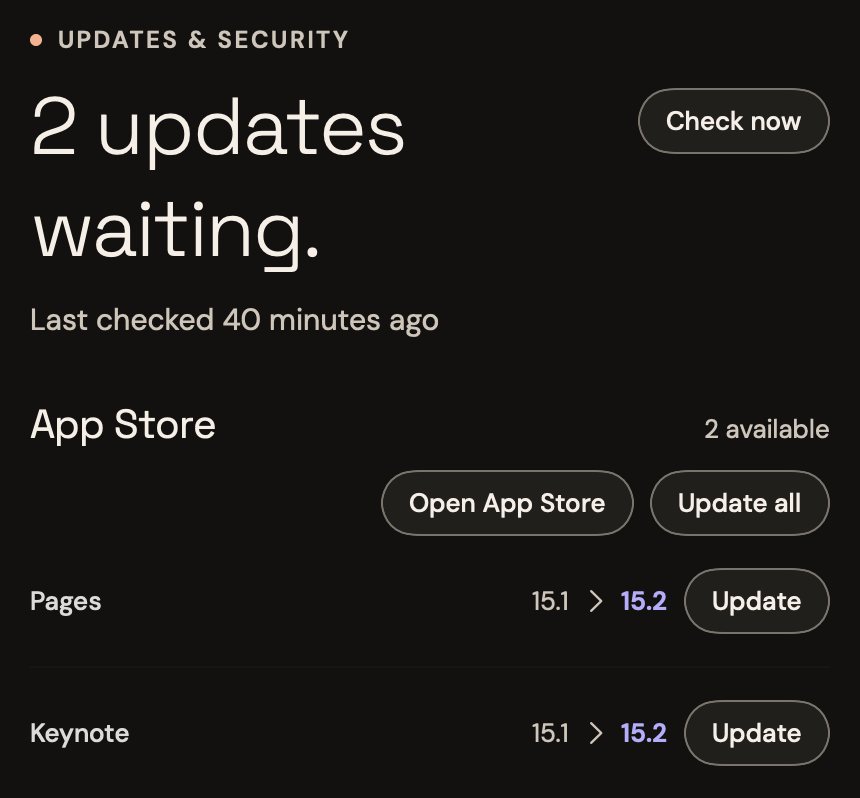
mas tool.Where Tend checks for updates
- Mac App Store
- With
masinstalled, Tend lists available updates and can run them individually or together. You can also open the App Store from Tend. - Homebrew formulae and casks
- If you use Homebrew, see what’s outdated and run an upgrade from Tend. Review the list before choosing Update all for that section.
- Apps downloaded from the web
- Tend checks supported apps with a secure Sparkle feed. Open the app to update, or follow its release notes or download link when available.
- macOS and Apple software
- See what Apple’s Software Update reports, including updates marked for a restart. Open System Settings to install them.
Coverage depends on how an app gets its updates. Apps outside these sources may need a manual check. See the setup and coverage details.
Check your Mac’s security settings
- FileVault, firewall and Gatekeeper
- See the reported status of these protections and System Integrity Protection. Tend reads the settings. Changes happen in macOS.
- Apple protection updates
- See XProtect version information and whether automatic checks and security data updates are enabled.
- App signatures
- Run Check apps to review findings such as broken signatures, unsigned apps and apps without notarization. Use the findings to decide what to inspect.
- Startup helpers
- Review background items alongside apps. A signature finding gives you something to look into. It can’t establish whether an app is malicious.
Before you check.
Can Tend update all Mac apps at once?
Update all works within the supported App Store and Homebrew sections. macOS installs through System Settings, and apps downloaded from the web use their own updaters.
Are update checks and security checks free?
Yes. The checks and supported App Store and Homebrew update actions are free. The Security check also offers a free uninstall preview. Moving an app to Trash from Tend requires Pro.
Does the Security check replace antivirus?
No. It reports settings, Apple protection versions and signature findings. It doesn’t scan files for malware or remove threats. Read what Tend checks.
See what needs your attention.
Download Tend and choose Updates in the sidebar.