Mac storage analyzer. See what takes up space.
Map your home folder and find large files, duplicates and app caches for free. With Tend Pro, move the items you choose to the Trash.
Apple silicon · macOS 13 or laterFree download. No account needed.
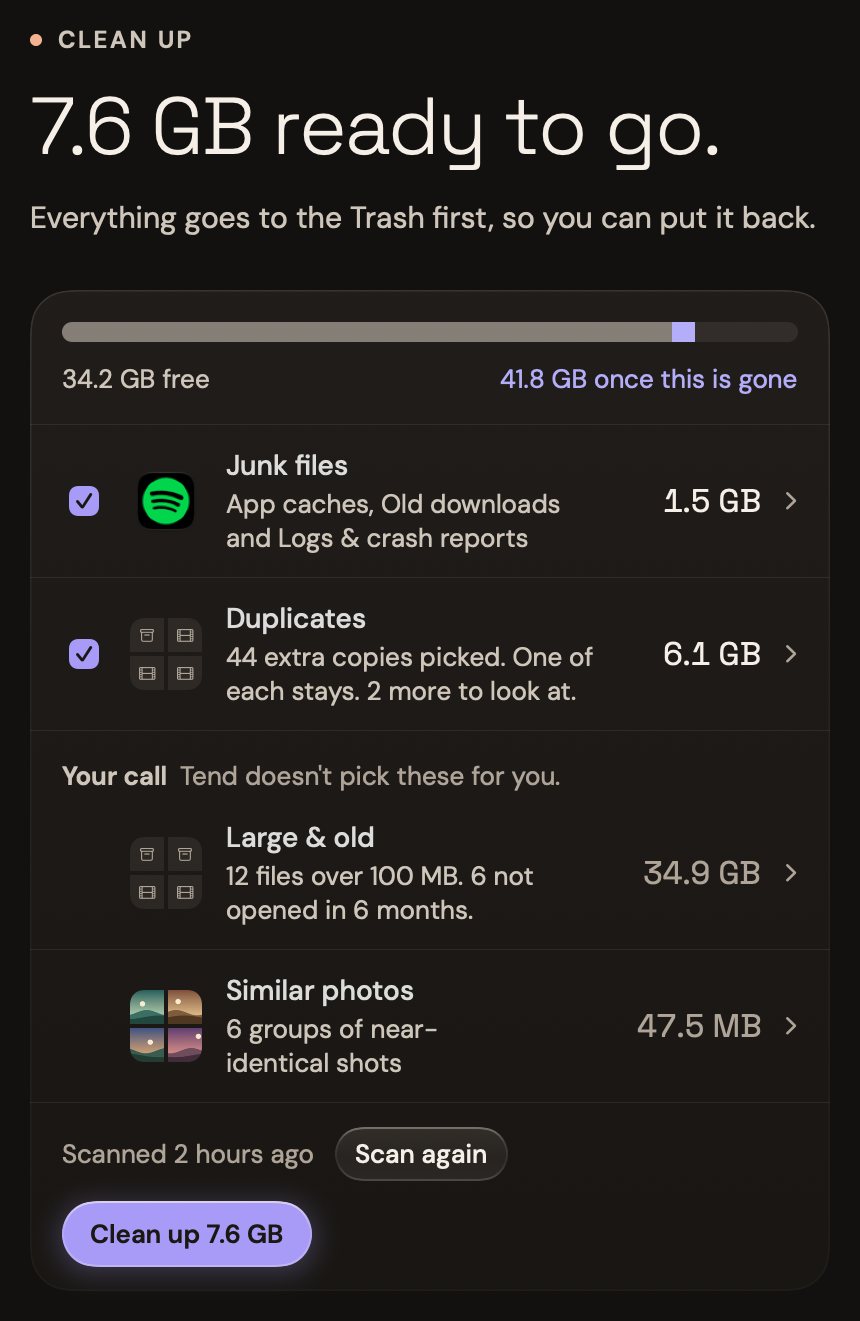
See what uses space on your Mac
- Check free space on mounted drives
- Open Storage to see used and available space on the startup disk and other mounted volumes. Use Space Map for a closer look at files in your home folder.
- Map folders by size
- Open Clean Up → Space Map. The ring and size-sorted list show which parts of your home folder use the most space. Open a folder to look inside or show an item in Finder.
- Find large and duplicate files
- Files lists large and old files, and groups byte-for-byte duplicates in supported folders within your home folder. Review each copy in context before choosing what to keep.
- Review app caches and old downloads
- Open Cleanup to see items grouped by category, including app caches, logs and old downloads. Apps can rebuild caches as you use them.
Scan for free. Clean up with Pro.
Free
- Explore your home folder by size in Space Map
- Find large files and duplicates with Files
- Review what Cleanup found before deciding what to remove
Pro
- Move eligible selections from Cleanup, Space Map and Files to the macOS Trash
- Uninstall eligible apps and review matching support files
Moving a file to Trash lets you review it again in Finder. Its space is reclaimed when you empty the Trash.
Before you scan.
Does Tend map external drives or the whole system disk?
Space Map and Files scan your home folder. They don’t map system volumes, other users’ folders or external drives. macOS permissions can limit what Tend can see. Read about scan scope and protected folders.
Can I use Tend as a free duplicate file finder?
Yes. Files can scan for duplicate groups for free. You can review results in Finder. Moving your selections to Trash from inside Tend requires Pro.
Can I clear all of macOS System Data?
System Data covers many kinds of files. Tend can help you review categories in your account, such as app caches and logs. It doesn’t remove macOS system files.
Find what’s filling your Mac.
Download Tend, open Clean Up and start with a free scan.